Local model support in the Copilot CLI on a Raspberry Pi
Running Copilot with local models is cool, and with Copilot Fusion we’ve shown how it’s possible to seamlessly mix and match local models with cloud models for the best of all worlds.
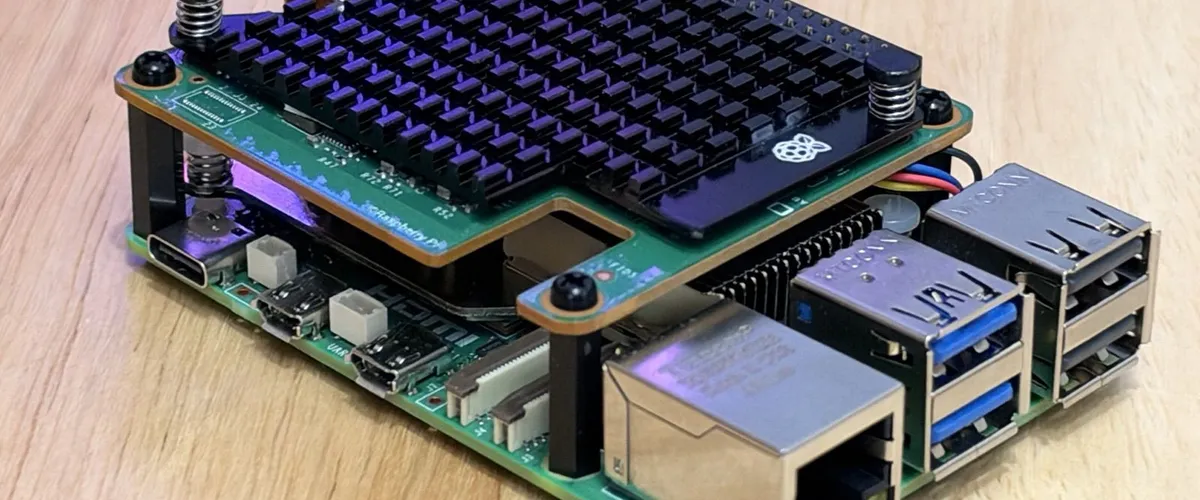
This is cool on a fancy Surface Ultra with all the shiney hardware. But what’s the smallest thing you can run local models in Copilot on? This evening I found out it’s a Raspberry Pi 5 wearing the new AI hat.
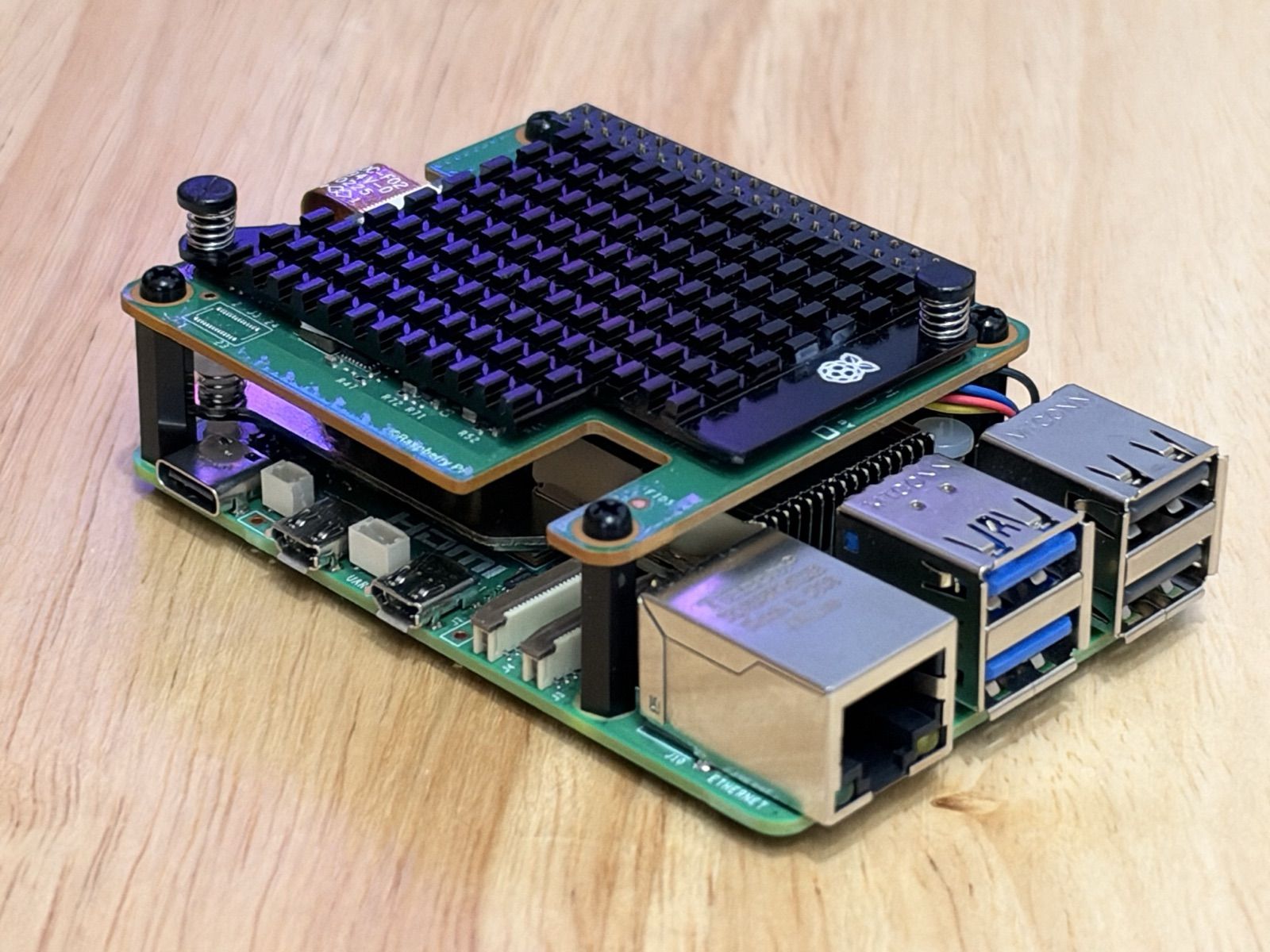
That little black hedgehog of a heatsink is sitting on the Raspberry Pi AI HAT+ 2. Underneath is a Hailo-10H accelerator with 40 TOPS (INT4) and 8GB of its own RAM, which is enough to run small language models without bothering the Pi’s CPU much at all.
The bit that made me grin: GitHub Copilot CLI runs natively on the Pi’s ARM Linux. So with Copilot’s bring-your-own-model support, the whole stack lives on one board. No jump box, no cloud model, no premium requests ticking away.
Is it as good as the big models?
No, obviously. qwen2.5-coder:1.5b is a 1.5 billion parameter model, and for trickier prompts you need to be a lot more explicit than you would with a frontier model.
Using it with Qwen isn’t going to have the same throughput as rocking the latest cloud models, but it works suprisinly well for such a small box.
However, for the quick stuff (summaries, first-pass text drafts) works great and switch to the big cloud models when I need some proper thinking done. Same Copilot, just a different brain behind it.
And the power numbers are lovely. The official Pi 27W PSU tops out at 25.5W of output for the whole lot. For context, Apple lists a Mac mini M4 at 65W max. Not a like-for-like comparison, but it’s the sort of thing you can leave humming on a shelf without feeling guilty.
The kit
| Item | US | UK |
|---|---|---|
| Raspberry Pi 5 (8GB) | Amazon US | Amazon UK |
| Raspberry Pi AI HAT+ 2 (Hailo-10H) | Amazon US | Amazon UK |
| Official Pi 27W USB-C PSU | Amazon US | Amazon UK |
| Active cooler | Amazon US | Amazon UK |
| Fast microSD (U3/A2) | Amazon US | Amazon UK |
How to build one
There are three layers: Hailo’s runtime serving the model, LiteLLM translating it into an OpenAI-shaped API, and Copilot CLI talking to that.
1. Drivers and the model server
Install the Hailo runtime and check the HAT shows up:
sudo apt-get update
sudo apt-get install -y h10-hailort h10-hailort-pcie-driver hailo-h10-all
hailortcli scan
Then build hailo-ollama from Hailo Model Zoo GenAI. Huge props to the Hailo team for this. It gives you an Ollama-compatible API on top of the accelerator.
sudo apt-get install -y git cmake build-essential curl jq libssl-dev
git clone https://github.com/hailo-ai/hailo_model_zoo_genai.git
cd hailo_model_zoo_genai
cmake -B build -DCMAKE_BUILD_TYPE=Release
cmake --build build --config Release -j"$(nproc)"
sudo cmake --install build
hailo-ollama
In another terminal, pull the coding model:
curl --silent http://localhost:8000/api/pull \
  -H 'Content-Type: application/json' \
  -d '{ "model": "qwen2.5-coder:1.5b", "stream": true }'
curl http://localhost:8000/hailo/v1/list shows what else is on the menu. On my Pi that’s deepseek_r1:1.5b, llama3.2:1b, qwen2.5:1.5b and a few more, if you fancy experimenting.
2. LiteLLM in the middle
Copilot’s BYOK support expects an OpenAI-compatible API, and Hailo speaks Ollama. LiteLLM translates.
mkdir -p ~/litellm-hailo && cd ~/litellm-hailo
python3 -m venv .venv && . .venv/bin/activate
pip install --upgrade pip "litellm[proxy]"
Save this as config.yaml:
model_list:
  - model_name: qwen2.5-coder:1.5b
    litellm_params:
      model: ollama_chat/qwen2.5-coder:1.5b
      api_base: http://127.0.0.1:8000
And run it:
litellm --config config.yaml --host 127.0.0.1 --port 40003. Point Copilot at it
Add these to your ~/.bashrc so every terminal is ready to go:
export COPILOT_PROVIDER_BASE_URL=http://127.0.0.1:4000/v1
export COPILOT_PROVIDER_TYPE=openai
export COPILOT_PROVIDER_MODEL_ID=gpt-4o-mini
export COPILOT_PROVIDER_WIRE_MODEL=qwen2.5-coder:1.5b
export COPILOT_MODEL=gpt-4o-mini
export COPILOT_PROVIDER_MAX_PROMPT_TOKENS=3072
export COPILOT_PROVIDER_MAX_OUTPUT_TOKENS=1024
Then type copilot and you’re away.
Bonus: boot and go
Starting two servers by hand every time gets old fast, so both run as systemd user services. Turn on lingering so they start without a login:
sudo loginctl enable-linger "$USER"~/.config/systemd/user/hailo-ollama.service:
[Unit]
Description=Hailo Ollama Server
After=network.target

[Service]
ExecStart=/usr/local/bin/hailo-ollama
Restart=always
RestartSec=3

[Install]
WantedBy=default.target~/.config/systemd/user/litellm-hailo.service:
[Unit]
Description=LiteLLM proxy for Hailo-Ollama
After=network.target hailo-ollama.service
Requires=hailo-ollama.service

[Service]
WorkingDirectory=%h/litellm-hailo
ExecStart=%h/litellm-hailo/.venv/bin/litellm --config %h/litellm-hailo/config.yaml --host 127.0.0.1 --port 4000
Restart=always
RestartSec=3

[Install]
WantedBy=default.target
systemctl --user daemon-reload
systemctl --user enable --now hailo-ollama.service litellm-hailo.serviceNow the Pi boots, the model loads, and Copilot’s ready by the time you’ve found an SSH window.
If you build one, let me know what you get it doing. Might even be able to center your div’s.