In the days before I worked for Teamprise, I had a 3 hour, 120 mile commute. Luckily, at that time a new thing called “podcasting” was starting to take off and so my travels were filled listening to the few podcasts that were available back then. We are talking pretty early in the history of podcasting. Back then Dave Winer and Adam Curry were still on talking terms. Rory Blyth was taking over from Mark Dunn as co-host of DotNetRocks with Carl Franklin and shows would be multiple hour epics, occasionally spilling over into .NET technology but with plenty of tangential discussions. Interestingly, I’ve actually been a DotNetRocks listener longer than I have been into podcasts. Back when I strarted listening to the show I had to burn episodes onto a CD-R (sometimes 2) and it was listening to one of these shows that I heard Carl talking about putting the shows into an RSS feed for automatic delivery to an MP3 player. It was then I got my first iPod and my commute was much more enjoyable.
Times have changed. My commute has gone from 3 hours to 3 seconds, however I find I still have plenty of time in the day (when doing chores around the house, or when exercising etc) to listen to an increasing number of podcasts. Recently, Grant Holiday tweeted to ask what podcasts people would recommend and as I couldn’t reply with them all in 140 characters I thoughts I would write this post. Below is my list of podcasts that I am currently subscribed to.
- Apple Keynotes – All the Apple announcements the day after the event
- Stack Overflow – Jeff and Joel talking about software development and the StackOverflow website with the occasional interesting guest.
- Creative Screenwriters Magazine – Interviews with the Screenwriters behind many of the big Holywood films
- David Mitchell’s Soapbox – Video monologues from British Comedian David Mitchell
- Diggnation – Two men, two laptops and several beers
- Friday Night Comedy from BBC Radio 4 – Topical satire comedy from Radio 4
- gdgt Weekly – Peter and Ryan talk about gadgets even though they have both left Engadget and are busy not releasing their next site gdgt
- Hanselminutes – Scott Hanselman’s podcast
- The History of Microsoft – Channel 9 show going through the Microsoft archives
- iPhone Application Programming – Standford University course on iPhone Application Development with Apple engineers taking the kids through the course.
- MacBreak Weekly – Leo Laporte and the gang talking about Mac News if there is any, or speculating about stuff if there isn’t. This is actually my favourite of the TWiT shows.
- Mark Kermode and Simon Mayo Film Reviews – Wittertainment at it’s best
- .NET Rocks – The original .NET podcast. Richard and Carl talking about .NET technologies
- Peter Day’s World of Business – Peter Day’s insights into the business world
- Podcasts for Running – Couch to 5k training program
- Radio TFS – Mickey, Paul and I talking about Team System occasionally with various special guests
- Robert Llewellyn’s Car Pool – Bobby Llew giving his famous mates an entertaining drive in his Prius
- RunAs Radio – The IT Pro angle from the PWOP gang, with good guests
- Security Now – Leo Laporte talks to Steve Gibson about security news. Sometime’s Steve’s attitudes to development and computers drives me to shout back at my iPod in frustration, but it still is a great way of keeping on top of what’s happening in the security area.
- TED Talks – Talks from people cleverer than me about interesting things. Not only that, they are all much better at presenting than I am
- The Thirsty Developer – Microsoft evalgelists Dave Bost and Larry Clarkin talking about technologies interesting in the Microsoft space but mostly from an Architecture angle.
- This Week in Tech – Unedited ramblings of various technology commentators, mostly interesting
- This Week On Channel 9 – Dan and Brian’s round up of interesting goings on in the Microsoft technology space
- Google TechTalks – Google gets interesting people in to talk and makes many of them available to the public
- Windows Weekly – Paul Thurrott commentating on developments in the Microsoft space, focussing on the consumer side
- 10-4 – Nice short screencasts highlighting areas in Visual Studio 2010 or .NET 4.0
OK, I admit that I have a problem, but still I find that listening to these podcasts helps me keep an idea of what is going on in the technology world in my spare time, but I also find them all genuinely entertaining as well as educational. If you have any that you think I should be listening to then let me know.
 On Monday I was a little under the weather suffering from the winter tummy bug that is floating around at the moment, but my day was cheered up by a phone call from Carl and Richard over at .NET Rocks. We had a catch-up chat as to what has been happening in the past year since starting work at Microsoft, talked about Team Explorer Everywhere and TFS in general. Blame the fact that I hadn’t eaten for two days, but we jumped around a lot and covered a whole different bunch of stuff about Team Foundation Server and ALM in general.
 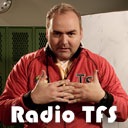 Just released the latest Radio TFS episode. We got the whole gang together so decided to have a catch up and a chat about our first impression from using Beta 1 of Team System for a few weeks.